Newsletter · tools
Free, and enough.
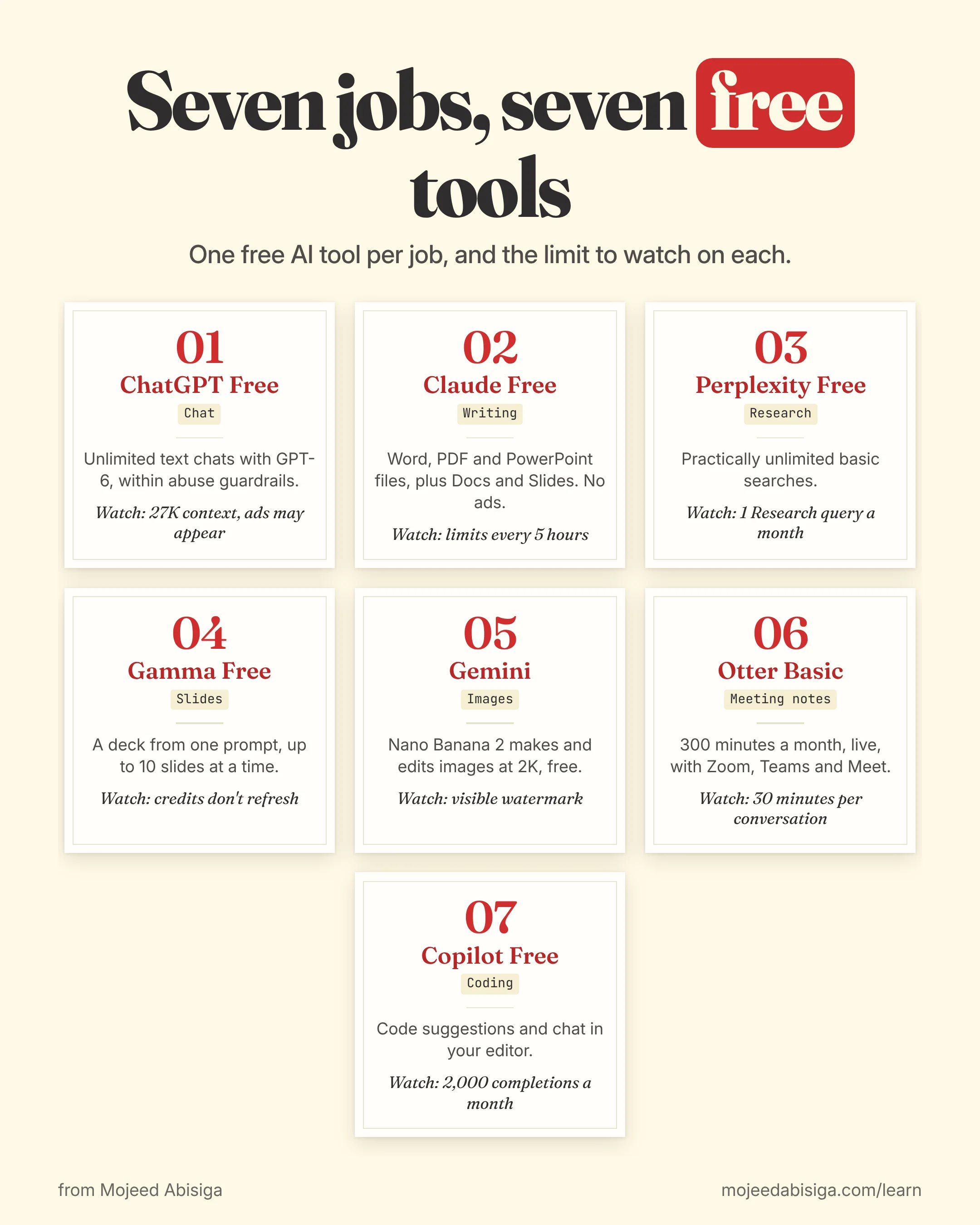
Seven jobs, seven free AI tools, and exactly where each free plan stops:

You don't need to pay for AI to start using it at work.
You need to know which free plan does which job.
And where each one stops.
Most "best free AI tools" lists skip that last part. Then you hit a wall in the middle of a task.
I teach people to use AI at work. So this issue sticks to one rule:
Every limit below comes from the vendor's own pricing or help page. No guesses, no reviews, no rumours.
Pages were read on 27 November 2026, on US pages. Plans change often, and features vary by country, so check the link before you rely on a detail.
Inside, one free tool per job:
- Everyday chat: ChatGPT Free
- Writing and documents: Claude Free
- Research and search: Perplexity Free
- Slides: Gamma Free
- Images: Gemini
- Meeting notes: Otter Basic
- Coding: GitHub Copilot Free
Each one comes with a prompt to copy and the limit to watch.
Get the next one in your inbox
One practical guide at a time: the exact steps, the prompts to copy and the mistakes to skip.
Free. Delivered by Substack, one click to unsubscribe. Form not showing? Subscribe on Substack.
Think and write
Three jobs most people do every day: ask, write and look things up.
One free tool for each.
1. Everyday chat: ChatGPT Free
For quick questions, rewording an email, explaining a term: ChatGPT's free plan is the most generous on volume.
OpenAI's pricing page advertises unlimited text chats with GPT-6 on Free, subject to abuse guardrails.
What Free limits, in OpenAI's words: uploads, image creation, voice chats, deep research, and memory and context are all "limited".
Two more things to know:
- Short memory per chat. The context window on Free is 27K tokens with GPT Instant. Plus has 54K. Long documents won't fit in one go.
- Ads. OpenAI says ads may appear for Free and Go users. Paid plans from Plus up have none.
Rewrite this email so it's shorter and friendlier, but keeps every date and number exactly as written. Then give me a subject line of six words or fewer.

[paste your email]
Prefer Microsoft? It also offers a limited free version of Copilot, subject to available capacity. When you hit a limit, you upgrade or come back later.
ChatGPT's plans · OpenAI on ads
2. Writing and documents: Claude Free
When you need a proper document, a report or a one-pager, use Claude's free plan.
Claude's pricing page lists a lot on Free: chat on web, desktop and mobile, web search, file creation and code, memory, connectors, Artifacts, and Claude Design, Slides and Docs.
It can hand you a real file. Claude creates Word, PowerPoint, Excel and PDF files in the conversation, and file creation is on by default for Free.
Anthropic has also committed that Claude will stay ad-free.
What Free limits:
- Usage. Limited usage every 5 hours and every week. The number of messages varies with demand.
- Models. Sonnet and Haiku only. Opus and Fable are on paid plans.
- Apps. Chat works on Free. Claude Code and Cowork need a paid plan.
- Projects. Up to five.
- Sharing. Claude's help centre shows link sharing for new artifacts on paid plans, not Free.
Turn the notes below into a one-page Word document for my manager.

Structure: a two-line summary, then three sections (what happened, what it means, what I recommend), then a short list of next steps with owners.

Plain English. No jargon. Keep every number exactly as in my notes.

[paste your notes]3. Research and search: Perplexity Free
For questions where you want sources, start with Perplexity.
Its help centre says Free gives practically unlimited basic searches.
What Free limits:
- 3 Pro Searches a day
- 1 Research query a month
- limited file uploads
- no advanced AI models and no image generation
So save the one monthly Research query for the question that really matters.
What changed in [your topic] in the last 12 months? Give me five points, each with the source it comes from. Then tell me which two points the sources disagree on.Need a longer report? Google's free Gemini plan includes Deep Research too. Google AI Plus gives twice the usage of Free, and AI Pro four times.
GuideClaude, from day one.Never opened it? Everything you need for your first week, in plain words:Make things
Two jobs that used to need a designer: a deck and a picture.
4. Slides: Gamma Free
Gamma turns a prompt into a presentation. Its free plan is a good way to get a first draft of a deck.
Gamma's help centre says Free includes AI creations, the AI Agent, basic image models, up to 10 slides per prompt and 50k input tokens.
The catch is credits:
- Every AI action uses credits: presentations, images and AI-agent edits.
- Free credits don't refresh. When they're gone, they're gone.
- You earn 200 credits per referral and can hold up to 2,000.
Two more limits worth knowing. Removing the "Made with Gamma" badge from what you share or export is a Plus feature. So is going past 10 slides per prompt (Plus allows up to 100).
Make a 10-slide presentation for my team about [topic].

Audience: busy colleagues who haven't seen this before.
Slide 1: the one-sentence point. Slides 2 to 8: one idea each, a short headline and three bullets. Slide 9: the decision we need. Slide 10: next steps with owners.

Keep the words short. No more than 25 words per slide.
Since credits don't come back, write the prompt properly the first time. A clear outline costs the same credits as a vague one.
Already on Claude? Its free plan lists Slides too, and a deck made from a template exports to PowerPoint, PDF or Google Slides.
5. Images: Gemini
For pictures, use Google's Gemini app.
Google says the Nano Banana 2 image model is free in the Gemini app: it makes and edits images at 2K resolution. Its best image model, Nano Banana 2.1, needs a paid Google AI plan, which also gives higher image limits.
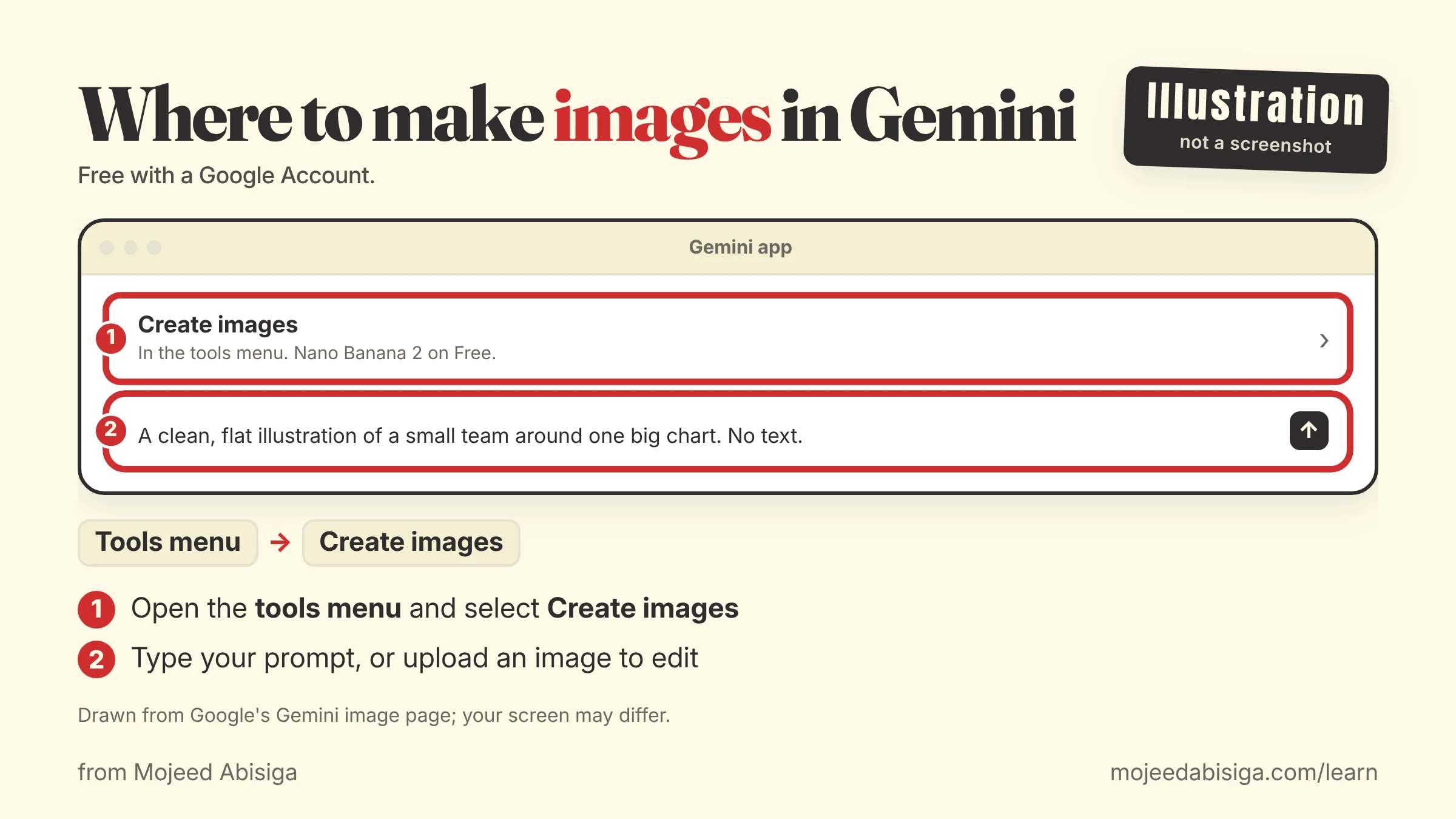
How to make one:
- Open the Gemini app and open the tools menu.
- Select Create images.
- Type your prompt, or upload an image you want to edit.
Good to know:
- Every Gemini image carries a visible watermark and an invisible SynthID watermark.
- It can put clear text inside an image, in many languages.
- You can upload any image to Gemini and ask whether Google AI made it.
A clean, flat illustration for a work presentation: a small team around a table looking at one big chart on a screen. Warm, friendly colours. Plenty of empty space at the top for a title. No text in the image.Backups: ChatGPT Free also creates images, with a "limited" allowance. Claude doesn't make photos or illustrations, though it can draw diagrams and charts in a chat on the web and desktop.
Gemini's free plan · Gemini images
GuideInfographics that stay sharp.Clear, editable one-page visuals with AI, and a template your team can reuse:Capture and build
Two jobs that eat hours: writing up meetings and writing code.
6. Meeting notes: Otter Basic
Otter's Basic plan is free and built for meetings.
It works with Zoom, Microsoft Teams and Google Meet, transcribes live, tells speakers apart, and has AI Chat so you can ask questions about one meeting or across several. There are iOS and Android apps.
What Basic limits:
- 300 transcription minutes a month. Unused minutes don't roll over.
- 30 minutes per conversation. An hour-long meeting won't be covered in full.
- 3 file imports, for life. Not per month.
For comparison, Otter Pro gives 1,200 minutes a month and up to 90 minutes per meeting.
From this meeting, list every decision we made, every action item with its owner and deadline, and any question we left open. Then draft a five-line follow-up email I can send to everyone who attended.7. Coding: GitHub Copilot Free
If you write code, even small scripts, start with GitHub Copilot Free.
GitHub's docs say Copilot Free gives you limited access to a selection of features, "to try AI-powered coding assistance at no cost".
What you get:
- code suggestions as you type, in your code editor
- Copilot Chat in your editor, inline chat and slash commands
- Copilot Chat in GitHub Mobile
- an allowance of GitHub AI Credits
What Free limits:
- 2,000 completions a month for code suggestions
- No model choice. Models come through auto model selection only.
- Individuals only. Not if you already have Copilot through an organization or enterprise.
Verified students can get Copilot Student for free. The first paid plan, Copilot Pro, is $10 a month.
Explain what this script does, line by line, in plain English. Then point out anything that could break if the input file is empty, and suggest the smallest fix.

[paste your code]
What about Claude? Claude Code is on paid plans only. On Free, Claude's code execution and file creation is still on, so it can run code inside a chat to make files.
NewsletterRight tool, right job.Stop looking for one AI that does everything. Five everyday jobs, and where to start for each:The whole stack on one page
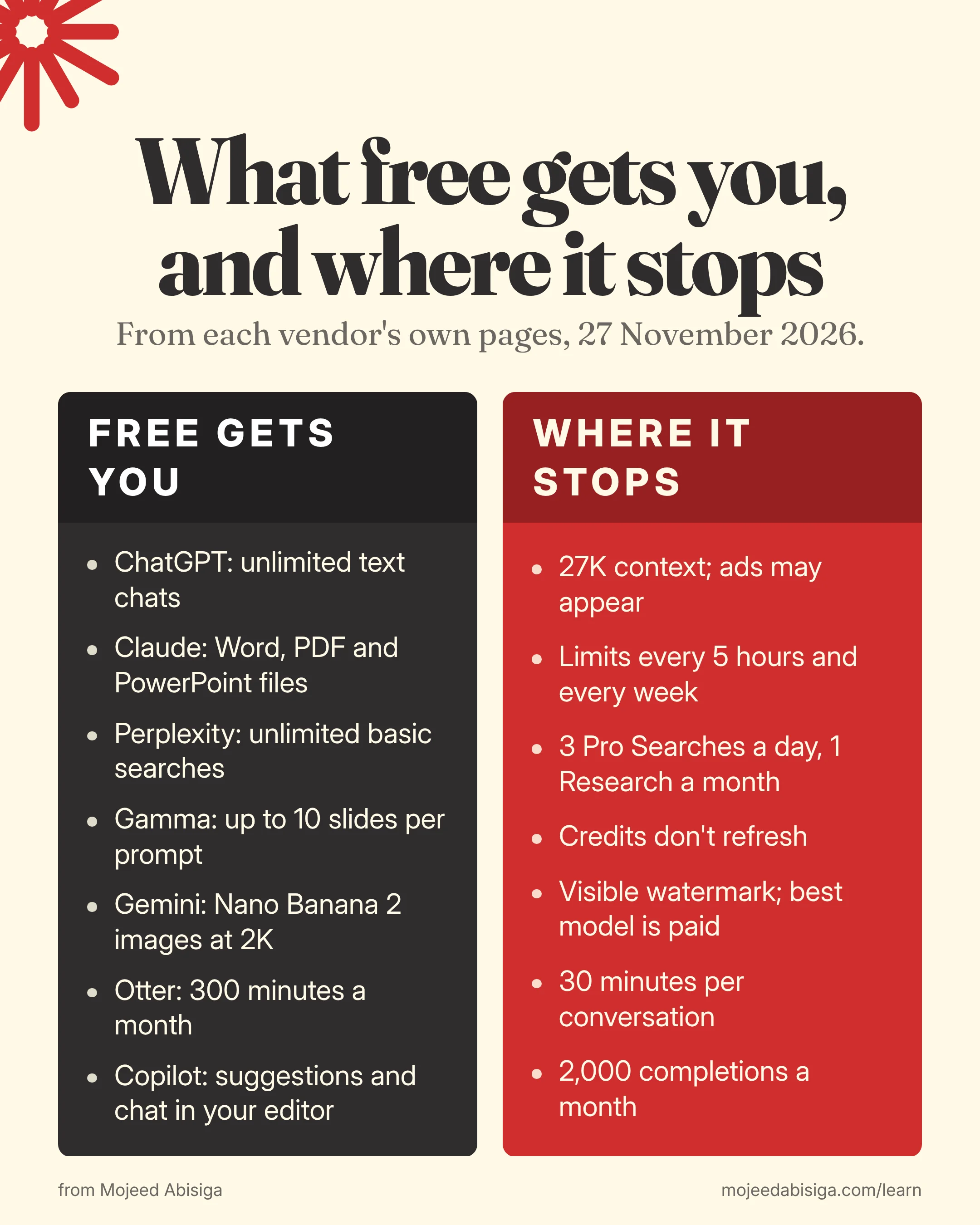
Here's every pick side by side.
| Job | Free tool | What Free gives you | Where Free stops |
|---|---|---|---|
| Chat | ChatGPT Free | Unlimited text chats with GPT-6 | 27K context; limited uploads, voice, memory; ads may appear |
| Writing | Claude Free | Word, PDF and PowerPoint files; Docs and Slides; no ads | Limits every 5 hours and every week; Sonnet and Haiku only |
| Research | Perplexity Free | Practically unlimited basic searches | 3 Pro Searches a day; 1 Research query a month |
| Slides | Gamma Free | Up to 10 slides per prompt, AI Agent | Credits don't refresh; badge removal is a paid feature |
| Images | Gemini | Nano Banana 2, 2K, generate and edit | Visible watermark; best model is paid |
| Meeting notes | Otter Basic | 300 minutes a month, live, with AI Chat | 30 minutes per conversation; 3 imports for life |
| Coding | Copilot Free | Suggestions and chat in your editor | 2,000 completions a month; no model choice |
Share this with one colleague who's about to pay for an AI tool they haven't tried free yet.
Make free plans go further
Free plans run out at the worst moment. A few habits help.
Give each tool one job
Don't ask your chat tool to make slides and your slides tool to research. Each free plan is strongest at its own job, and you spread the limits across several tools.
Save the scarce things
Some limits are tiny: one Perplexity Research query a month, three Otter imports for life, Gamma credits that never come back.
Use them for the work that matters. Do the warm-up thinking in a tool with room to spare.
Prepare before you spend
Paste clean notes, not a messy draft. Say who it's for and what format you want. One clear request uses less of your allowance than five corrections.
Here's what I'm about to ask another AI tool. Rewrite my request so it's clear, short and complete: say who it's for, the format, the length and what to avoid. Ask me up to three questions if something important is missing.

[paste your request]
Check your privacy settings
Claude's Free, Pro, Max and Ultra plans list model training as opt-out. Look for that setting in any tool before you paste work documents.
GuideStop running out of Claude.Hit the limit mid-task? How usage is counted, and twelve habits that make it last:The three to start with
You don't need all seven this week.
Start with the three most people use every day:
- Claude Free for anything you'll send to someone: a document, a summary, a report.
- Perplexity Free when you need sources you can check.
- Otter Basic for your next short meeting, under 30 minutes.
Add Gamma, Gemini and Copilot when the job comes up.
What to do today
Pick one job you did by hand this week.
Find its row in the table. Sign up for that one free tool.
Copy the prompt from this issue and run it on real work.
Then note where the free plan stopped you, if it did. That tells you whether you'll ever need to pay.
GuideBetter slides, less effort.Three ways to build a deck with AI, and how your team can share one standard:Send this to one friend who thinks AI has to cost money.
Mojeed